
GameStudio
Turn a cheap Linux handheld into a little console, and make 2D games for it.
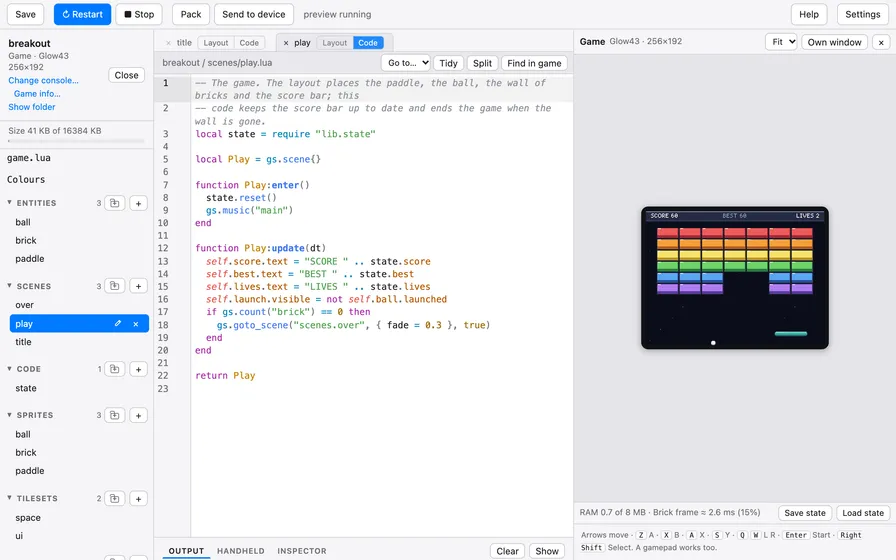
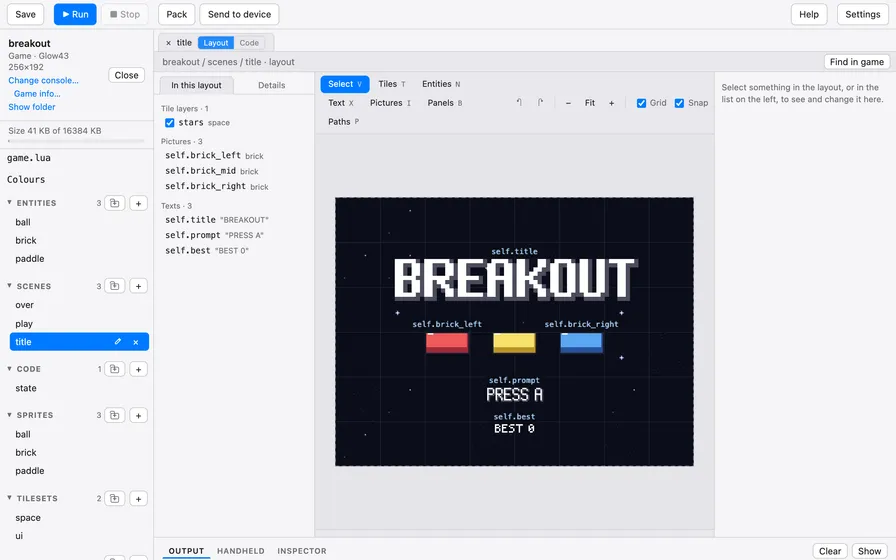
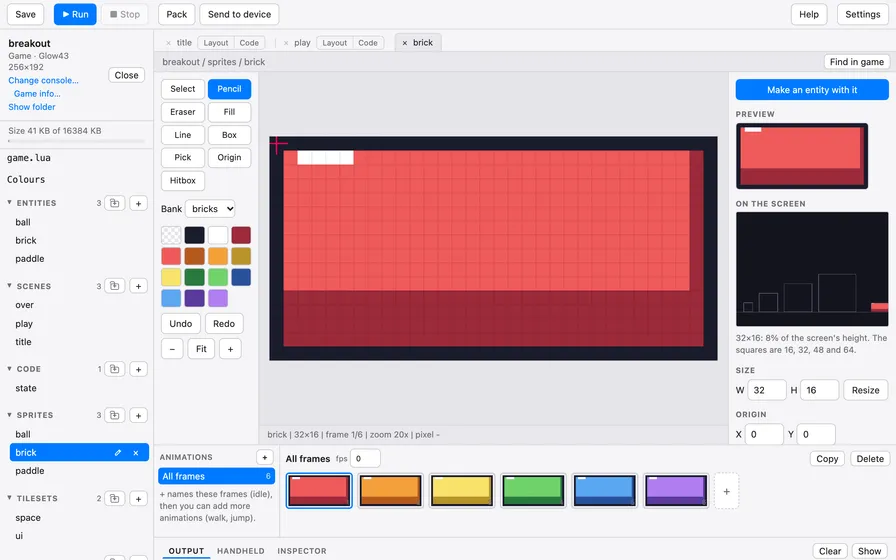
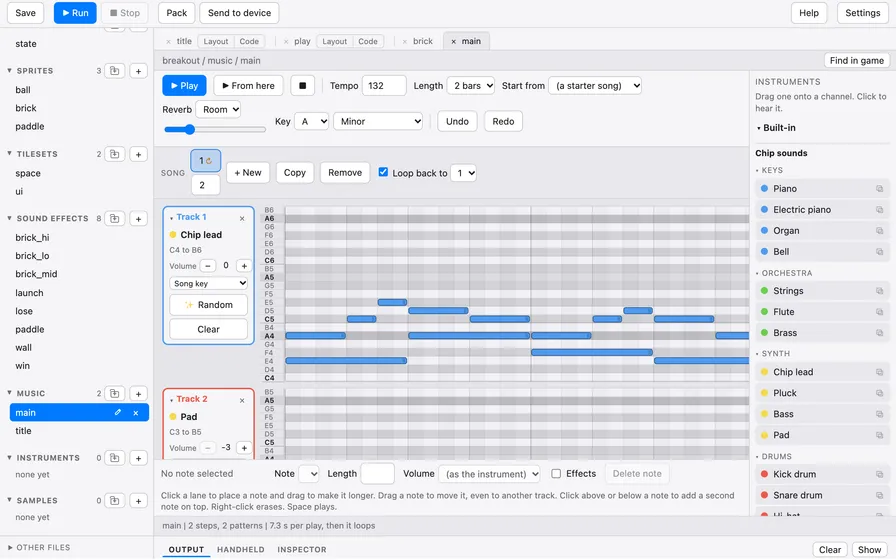
GameStudio turns an inexpensive Linux handheld, the TrimUI Brick, into a small console for 2D games. It comes in two halves: a runtime that plays the games on the device, and a desktop studio for making them, in the spirit of Game Maker.
The studio
- Code and play side by side. Write Lua in an editor that knows the game’s own entities, sounds and scenes, and see the game running beside it. Saving updates the running game without a restart.
- Editors for everything. A layout editor for levels and screens, plus sprite, tileset, sound effect and music editors, all in one app.
- Plays like the handheld. The studio runs games with the same memory limit as the device and estimates how long each frame would take there, so there are no surprises later.
- Send to device. Pack a game into a single cartridge file and send it to the handheld over Wi-Fi.
- Learn as you go. Built-in tutorials walk through a first game, collisions, a platformer, a survivors-style game, sprites and sound.
The consoles
Games target a virtual console with GBA-style limits: Glow43 (4:3, 256×192) or Glow169 (16:9, 320×180). Each has colour banks of 15 colours, up to 512 on screen, and budgets for sprites, sound and cartridge size. The limits keep games small and fast, and give them a handheld look.
For AI agents
GameStudio ships an MCP server, so an agent can look up the API, run a game and see a screenshot, inspect it while it runs, draw sprites, and write and check music.
Open source
GameStudio is free and open source under the zlib license. You can use it for anything, including commercial games, and change and share it freely. Just don’t claim you wrote the original, and mark any changed versions as your own.
Where it’s at
Version 0.1. The engine, studio and tutorials work, and games run in NextUI’s own emulator on the Brick. I’m testing on the device and filling in the rough edges.